Quick reference for recording games with the team camera.
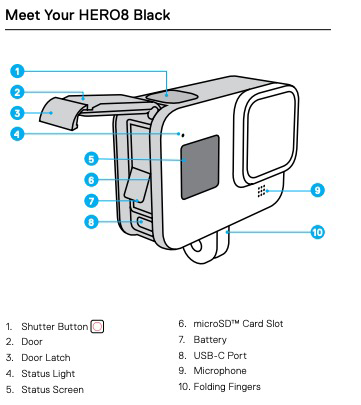
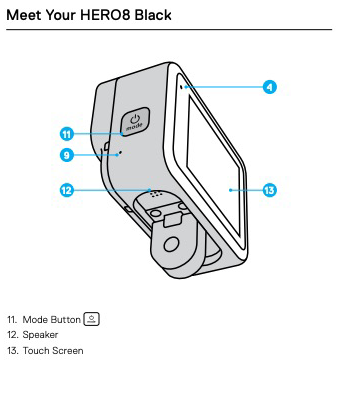
The diagrams below are labeled HERO8, but the buttons and functions are the same on our HERO7.
Power On
Press the Mode Button (11) on the side to power on.
Press the Red Shutter Button (1) on top to power on and start recording immediately with the last used settings.
Power Off
Press the Red Shutter Button (1) on top.
Or press and hold the Mode Button (11) for 3 seconds.
Connect to Your Phone
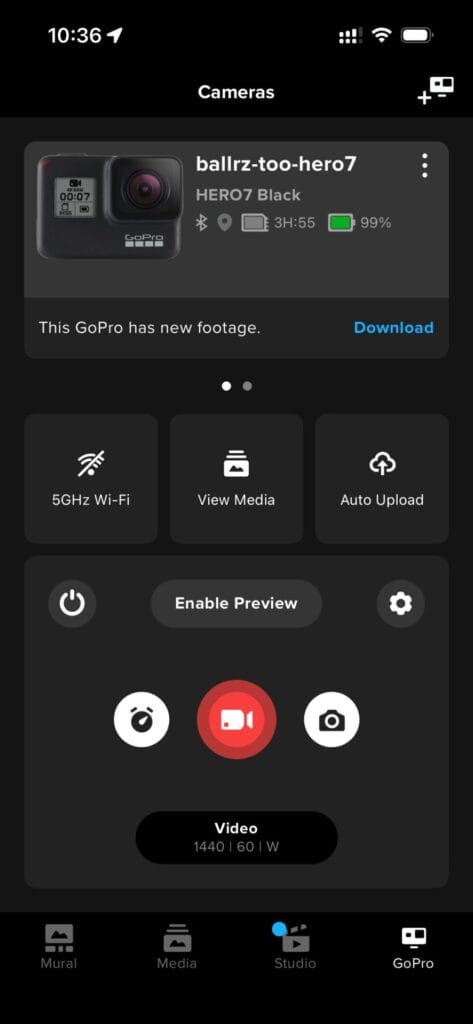
Connect the camera to the GoPro app on your phone before mounting it on the fence. The small screen is hard to see in bright sun, and the app lets you preview the shot, zoom, change settings, and start/stop recording from your phone.
The wireless connection works best within about 20 feet of the camera.